
When a software update is available, a notification will appear for downloading and installing the update on the software.
Manual Update Check
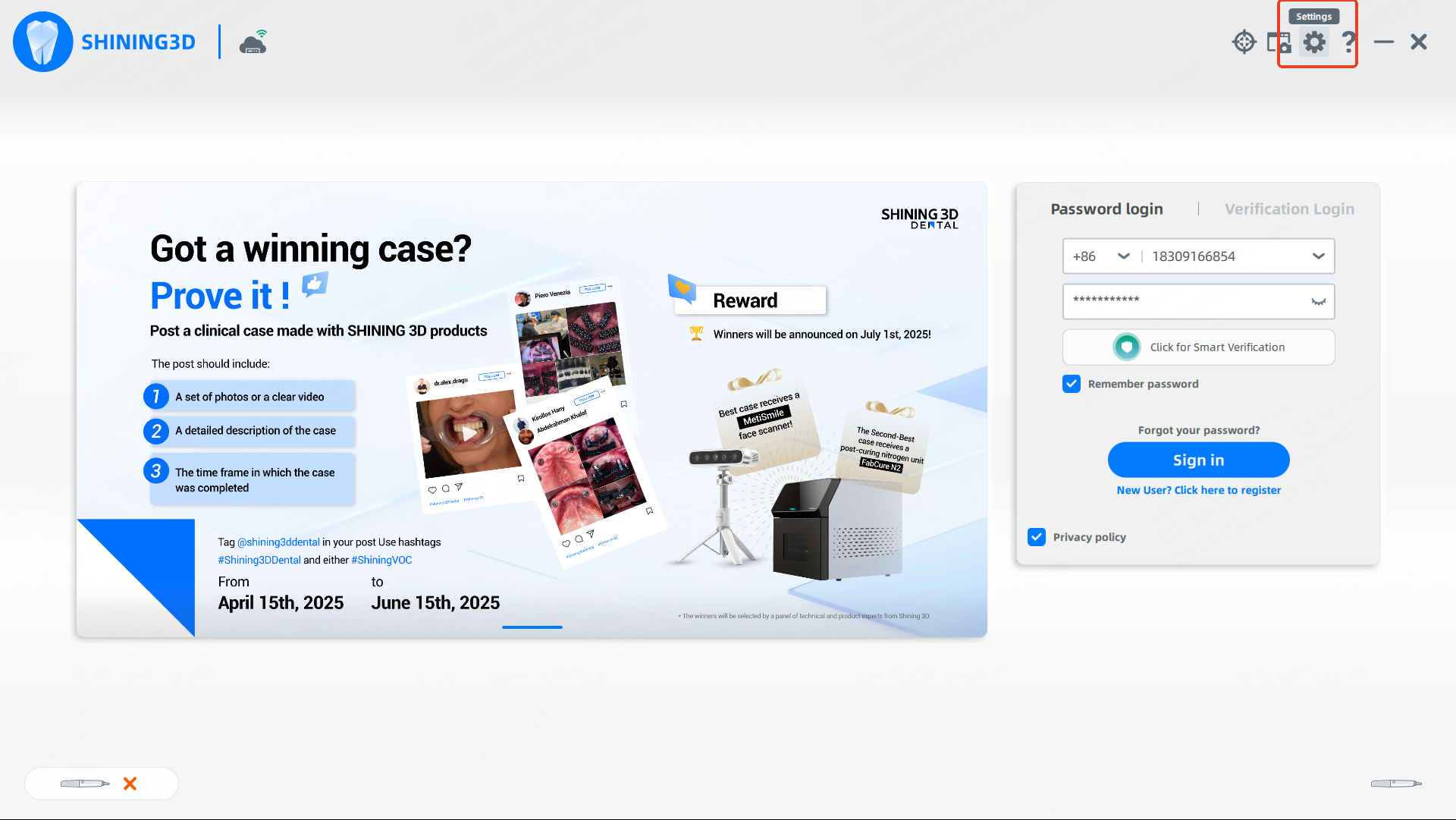
Open the software and click "Setting"
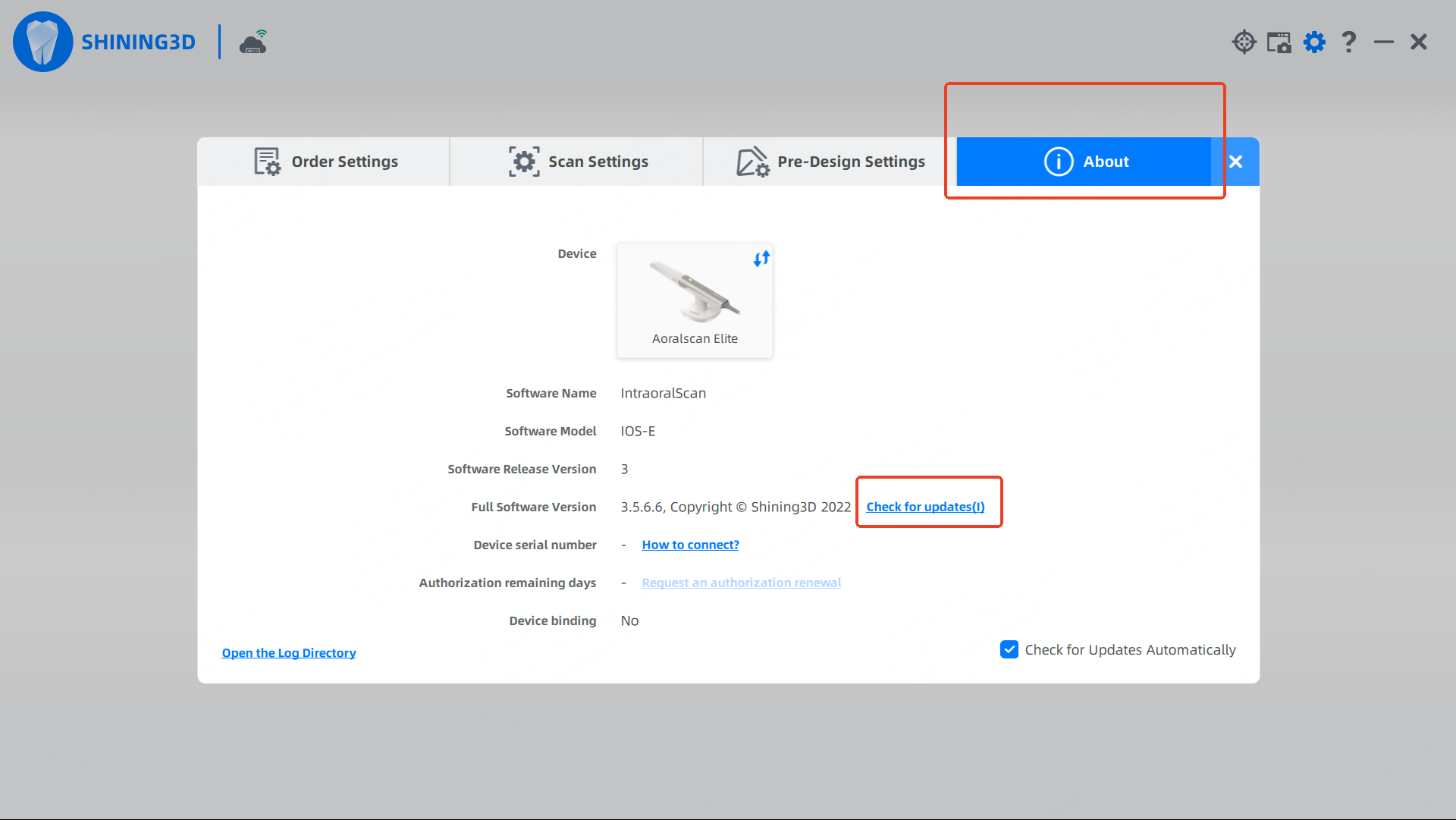
Click "About" and "Check for updates"
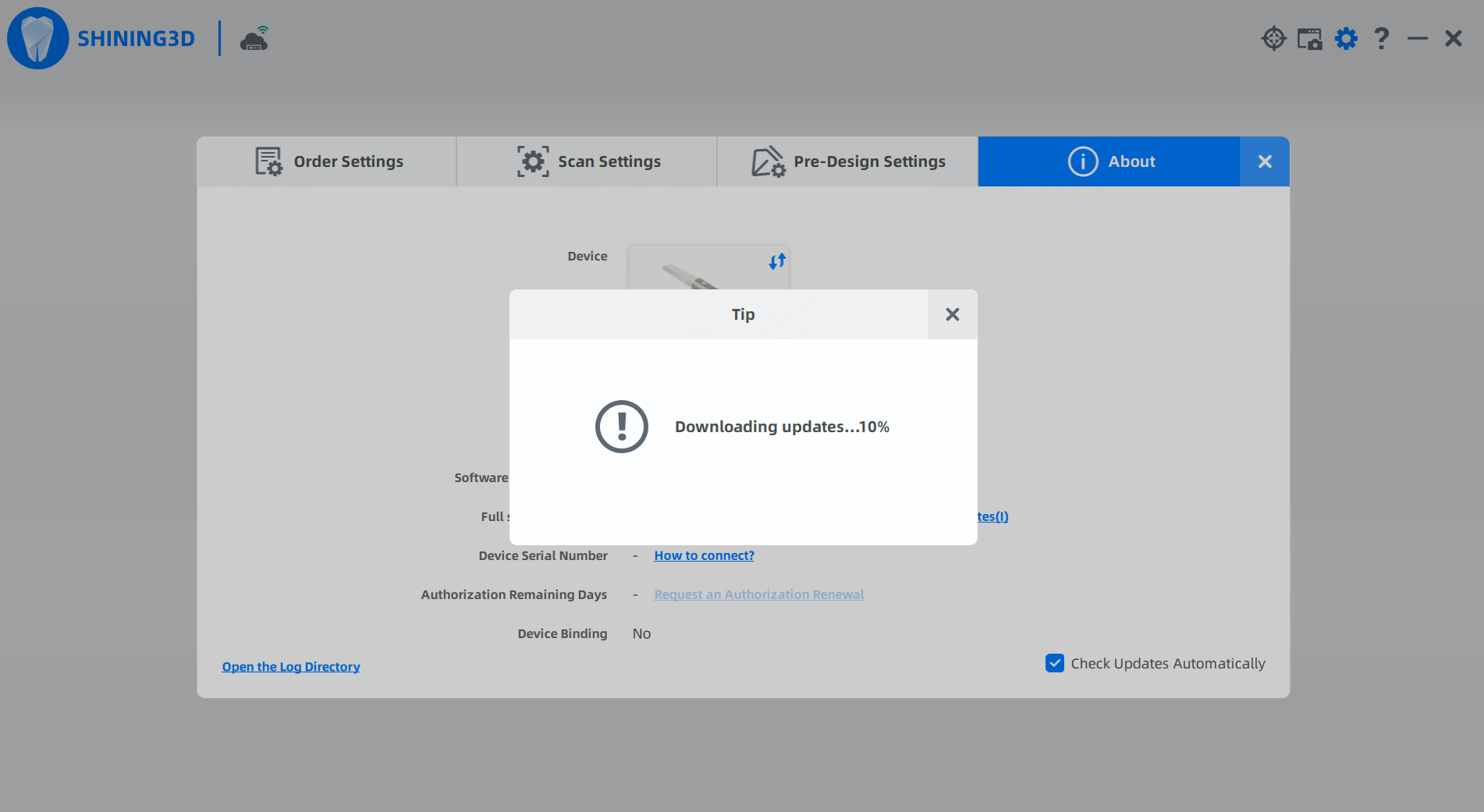
Wait until the download is finished. And then install it.
If any issues occur such as:
- Incomplete Downloads/Installs
- Software Missing
- Scanning errors after installation
- Scanner not being detected
We recommend redownloading from Shining3D Website and installing.
Intraoral Scan Software Shining3D : Dental Support - Latest Software Updates and Download Links
PC Configuration for Dental Software Installation & Operation on Windows : Dental Support
Article to assist preparing PC for installation.