When a Institution is no longer needed or if multiple of the same were created, the institution can be dissolved / deleted.
Note: This is not the same as Deleting an account, only the selected institution will be deleted.
The same Email/Phone Account can have several institutions under the account.
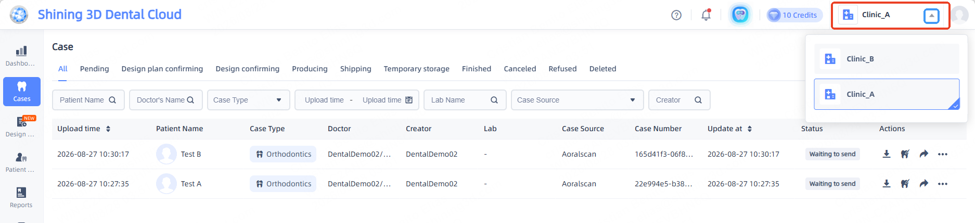
Clicking on the institution name on the Top Right Hand corner will have a drop box available.
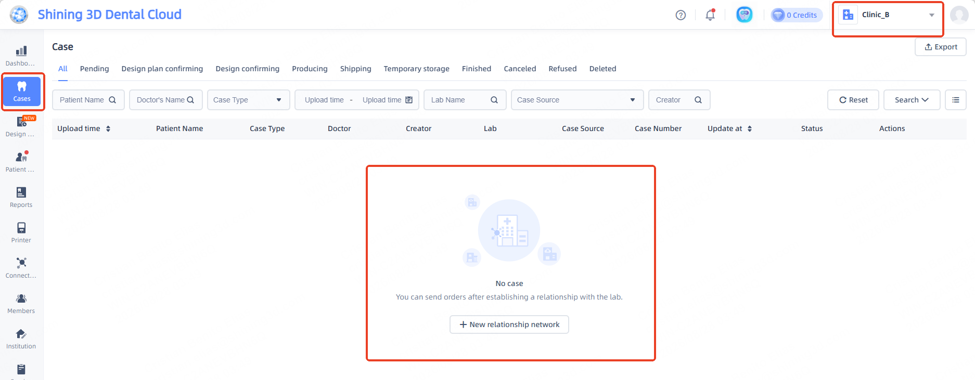
Note: Ensure any cases that are part of the Clinic have been migrated out or saved to the PC before deleting.
Review any cases still on the account before continuing.
Refer to the below article concerning Data Migration
Merging of Institution / Data Migration : Dental Support
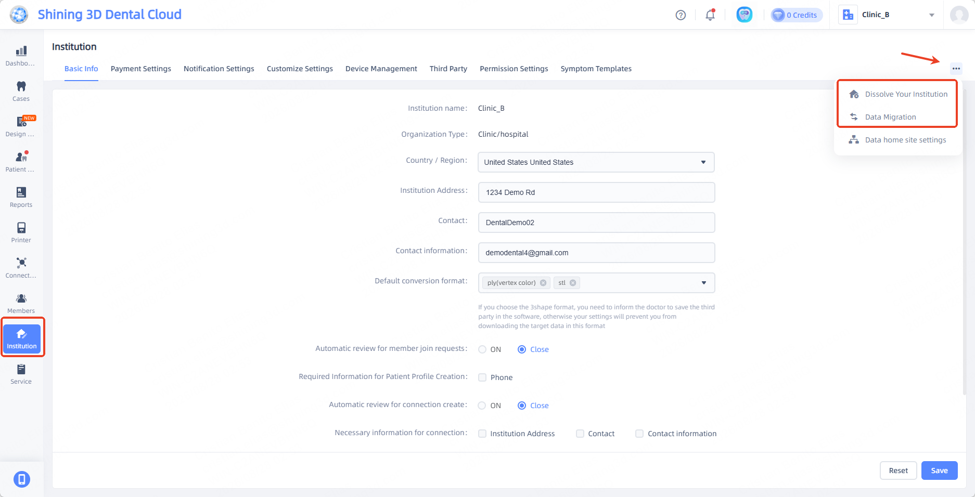
Go to Institution tab from left hand toolbar.
Click on the 3 dots in top right corner and click on Dissolve Institution
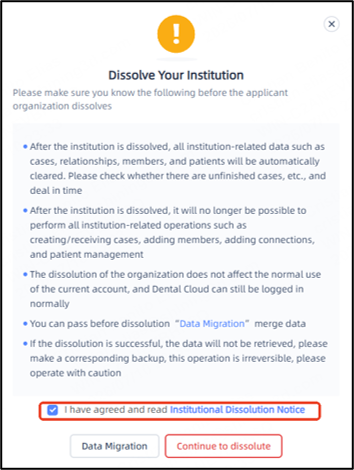
Following window will appear.
Review the information and then agree and Continue to Dissolve.
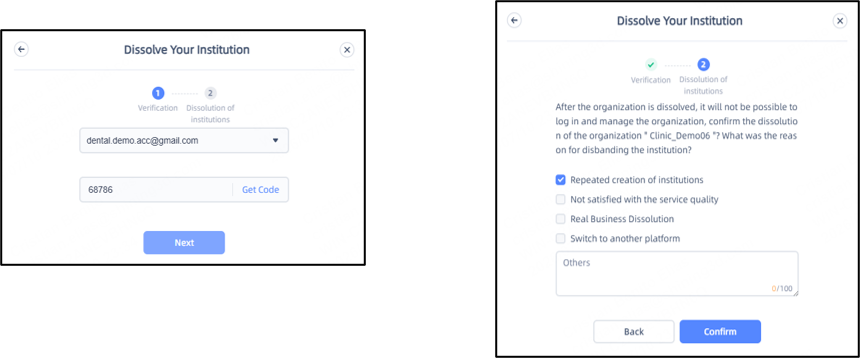
Steps
1. A verification code will be sent to the email.
2. Review and select the reason for dissolving the institution.
3. Click confirm once done.
Once done, the following note will appear.
The institution will be dissolved within 72 hrs after request.
A withdraw can be done within the allotted time frame.
Once the time frame is reached, the institution will no longer be accessible.

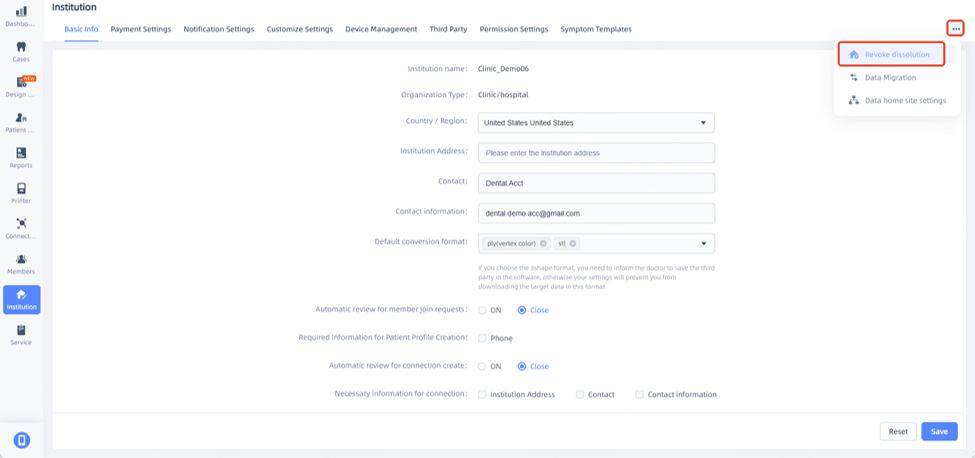
If the request needs to be revoked, click on the Institution tab and the 3 buttons on the upper right corner.
Click on Revoke Dissolution
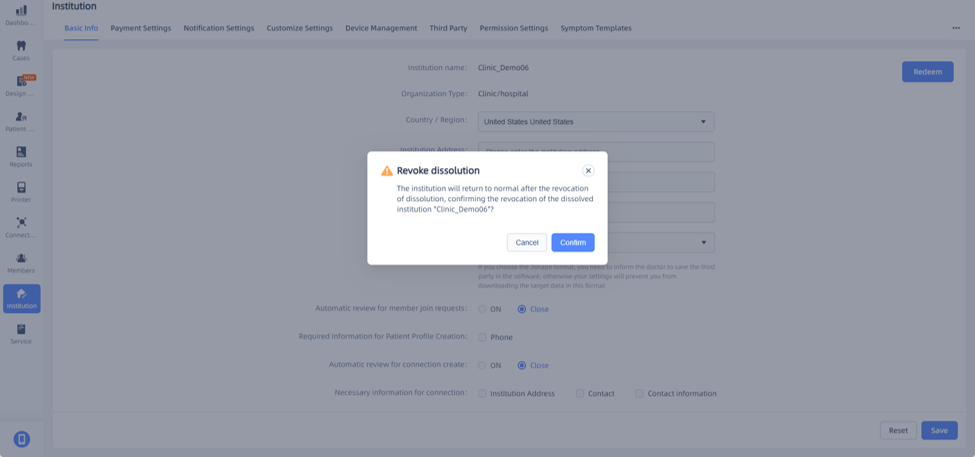
Review and confirm withdraw of Dissolution request.
The institution will return to normal once completed.