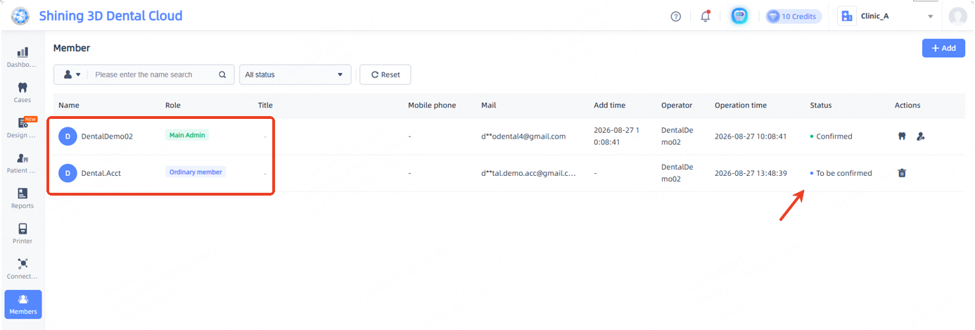
Merging Institution
Merging an Institution refers to the transfer of all patient cases and lab connections from Clinic A to Clinic B.
Name | Definition |
Clinic B | Host Clinic – patient data will be exported from this clinic. |
Clinic A | Receiving Clinic – Patient data will be received by this clinic. |
The same Email/Phone Account can have several institutions under the account.
Clicking on the institution name on the Top Right Hand corner will have a drop box available.
.
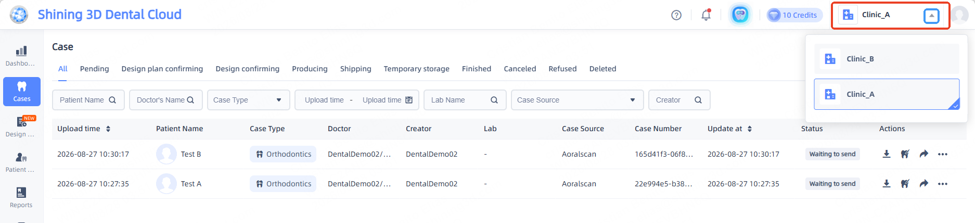
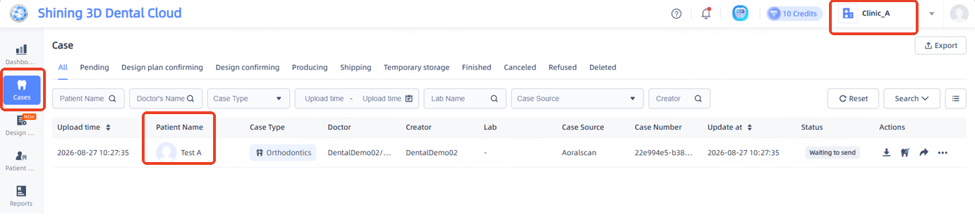
Clinic A Cases:
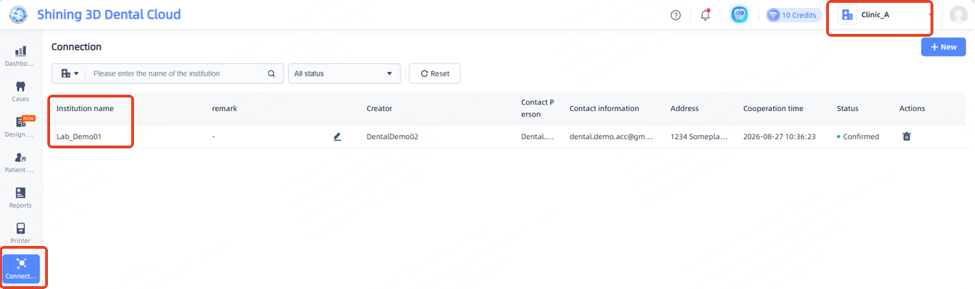
Clinic A - Lab connections:
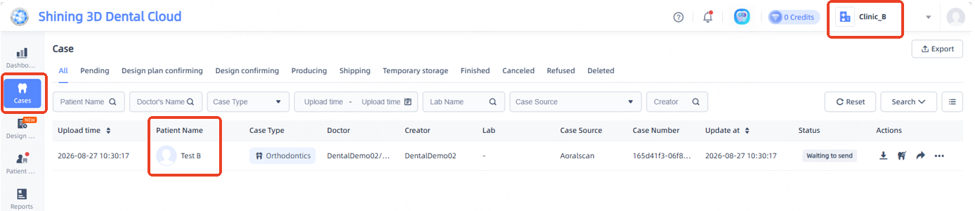
Clinic B Cases:
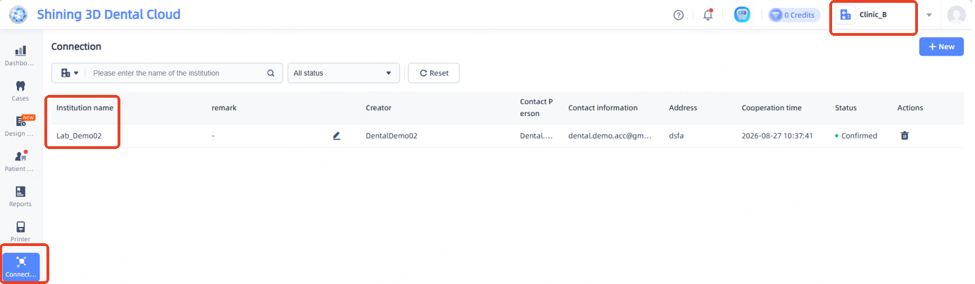
Clinic B - Lab connections:
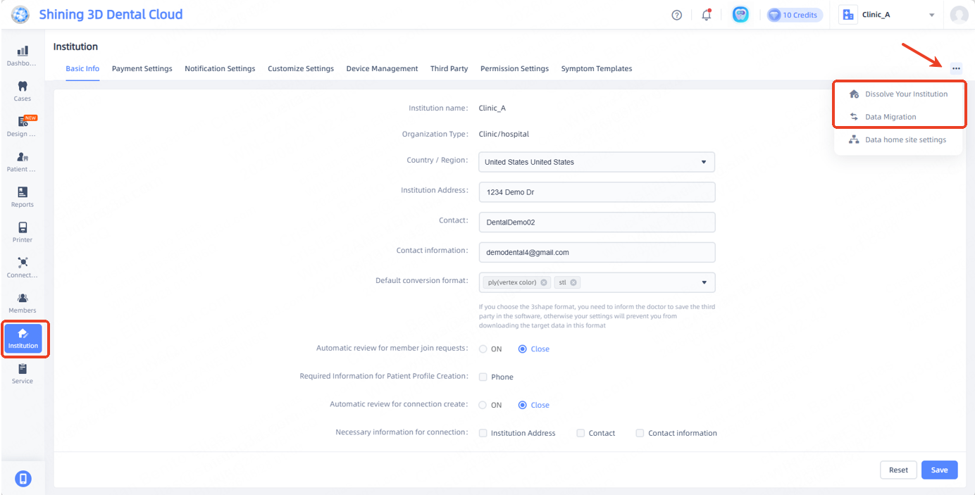
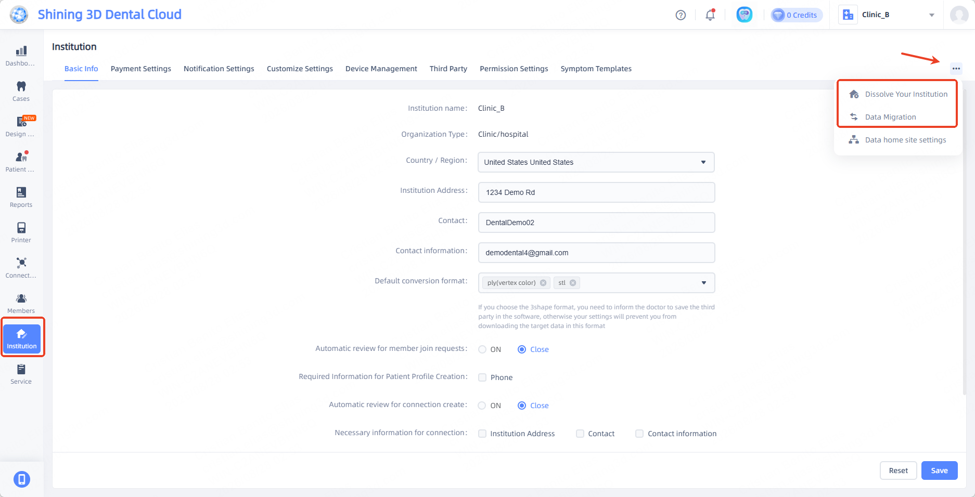
Options for Migration and Dissolution of accounts are found under the Institution Tab from the cloud portal.
Ensure that the Basic Info tab is selected.
Click on the 3 dots in the upper right hand and select the appropriate option needed.
Data Migration
Receiving Institution:
Will provide a verification code to the Host clinic beforehand to verify that it will accept the cases.
Click on the Data Migration option.
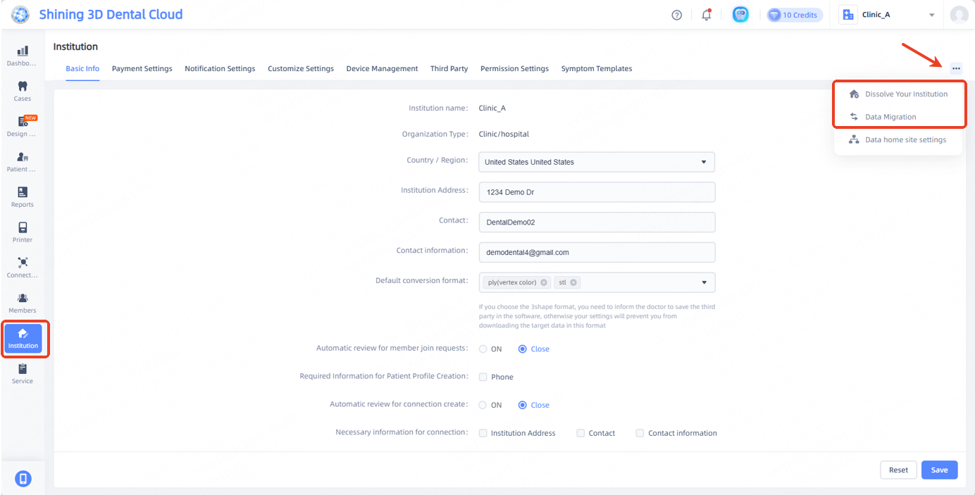
Click on Data Reception option.
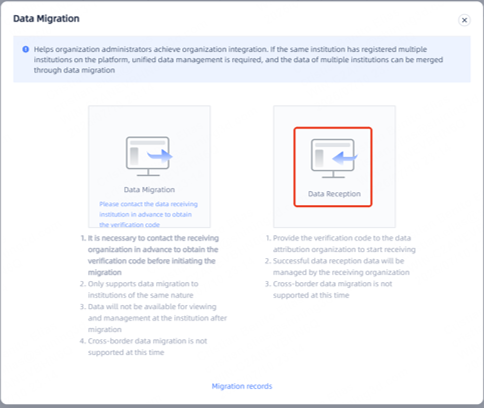
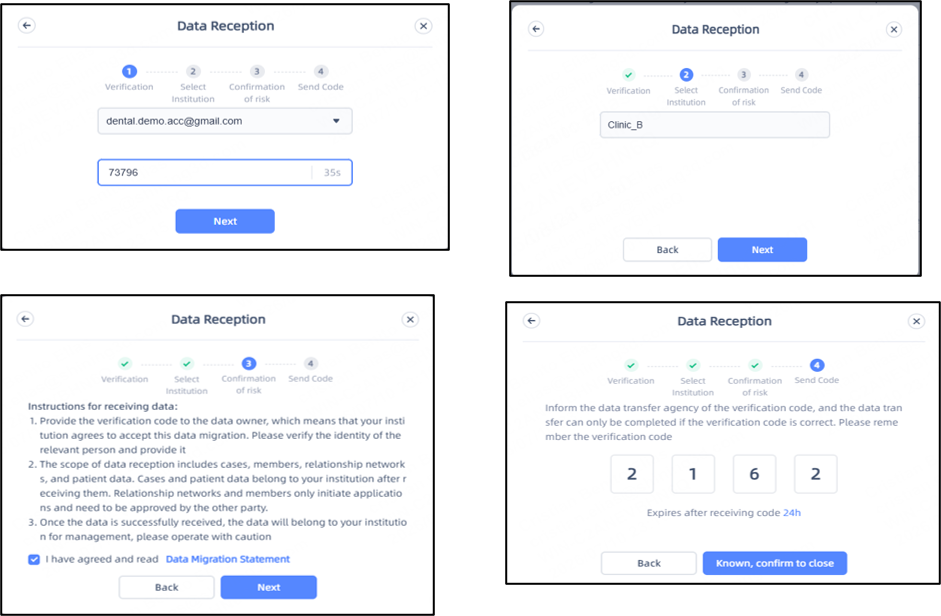
Steps
1. A Verification code will need to be sent and entered.
a. A captcha will need to be passed as well.
2. Search for the name of the Host Clinic, in this case Clinic B.
a. Clinic names will appear when typed.
3. Review and accept the Instructions for Data Migration.
4. A Code will be provided, make sure to note it down and send to Receiving Clinic when ready.
Host Clinic:
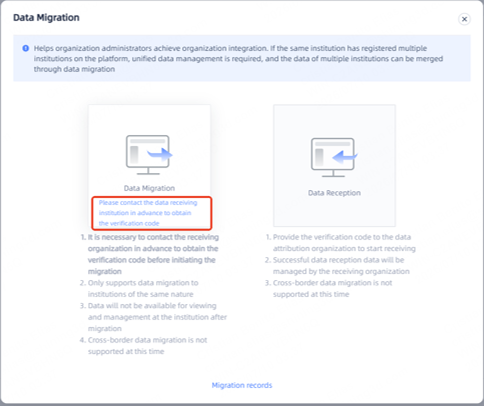
Will need to have the code from the receiving institution beforehand, if not, reach out to the institution before proceeding to the following steps.
Click on data migration option.
Click on Data Migration option, and blue text.
Steps
1. A Verification code will need to be sent and entered.
a. A captcha will need to be passed as well.
2. Search for the name of the Receiving Clinic, in this case Clinic Demo 05.
a. Clinic names will appear when typed.
3. Review and accept the Instructions for Data Migration.
4. Input the code provided from the Receiving Clinic.
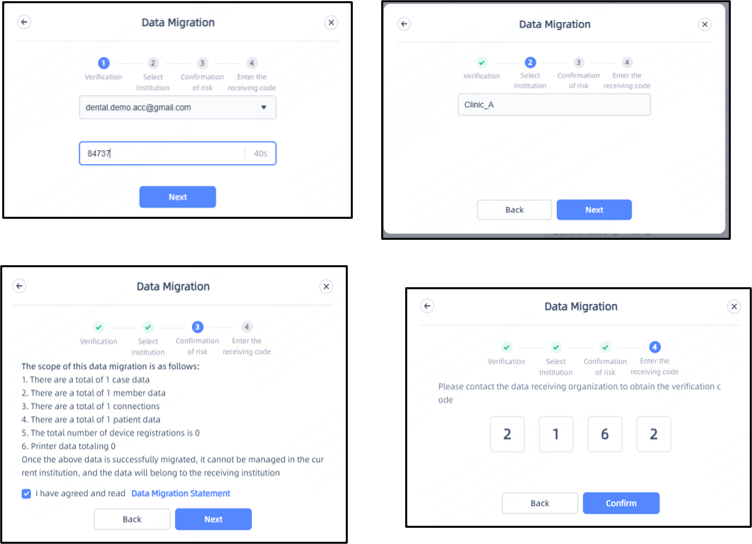
A summary table will be provided containing all information that will be transferred to the new clinic.
This will include :
• Cases
• Members
• Connections
• Patients
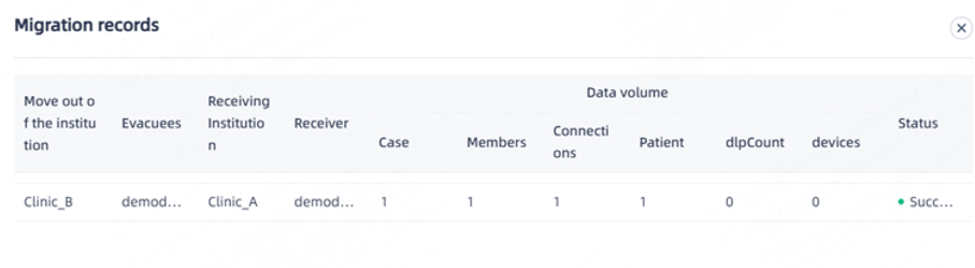
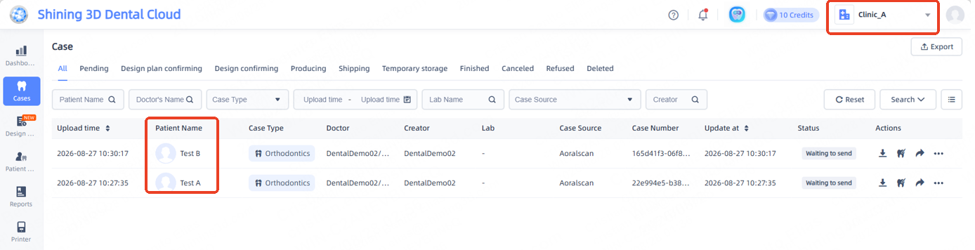
Review cases on Receiving Clinic end, Clinic A.
Note: Large transfer volumes may take some time to finalize.
Click on Reset button to refresh the dashboard view
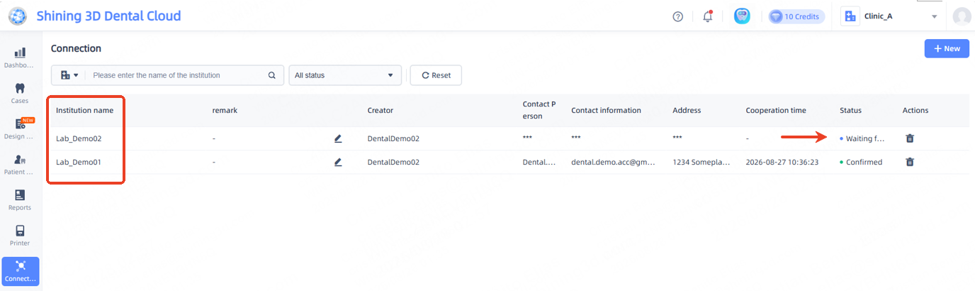
If Lab connection was present on other Clinic, it will migrate and a request to for connection will be automatically sent
If additional members were present on other Clinic, they will migrate and a confirmation request will be sent to the members contact email/phone