
To be able to remotely connect with you via TeamViewer, please do the below steps if it is the first time connecting to support.
Please open the software if you have it installed and click on the ? button on the top right-hand side of the screen.
Click on Remote Assistance and go through the following steps.
If the steps are not done, we will be able to connect but will not have permission to do changes or allowed to see the screen.
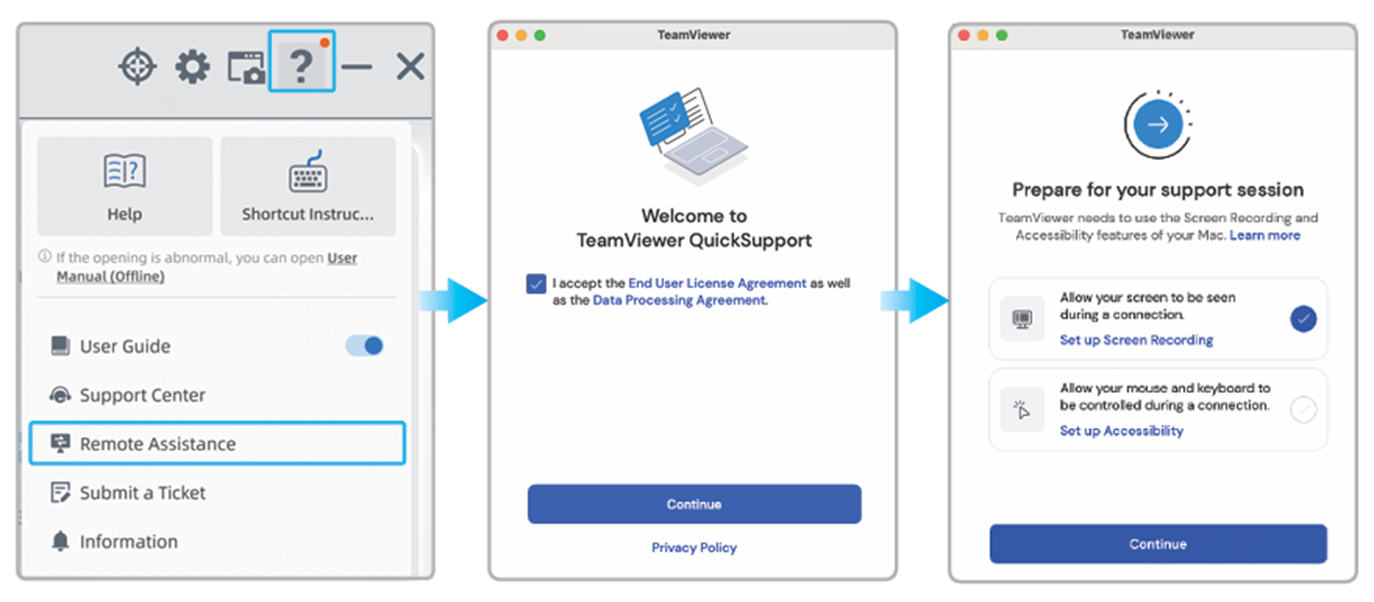
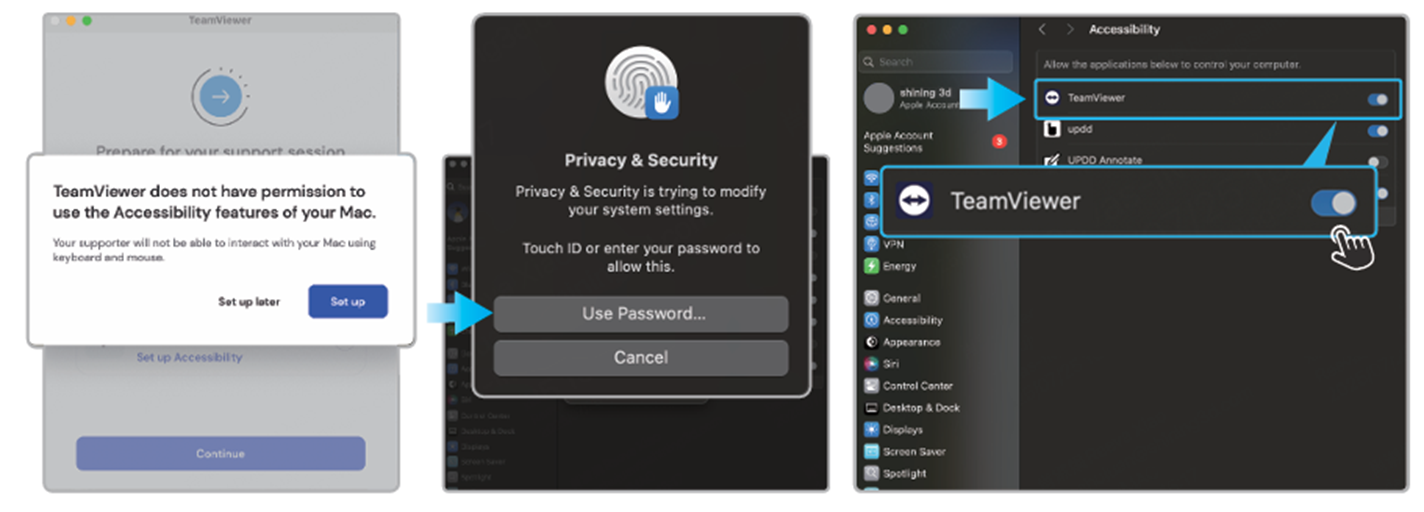
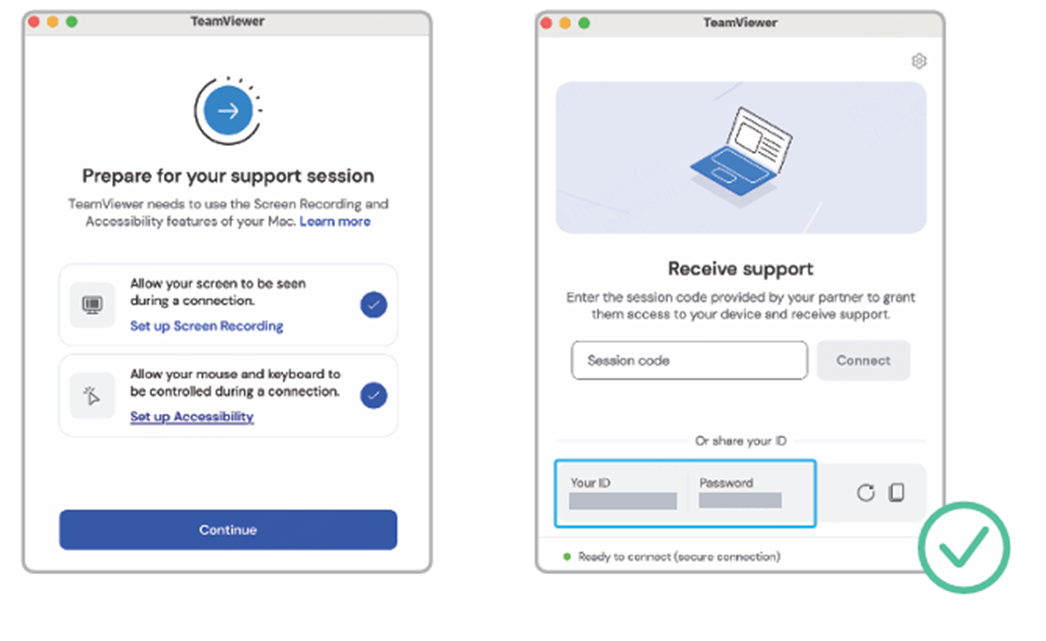
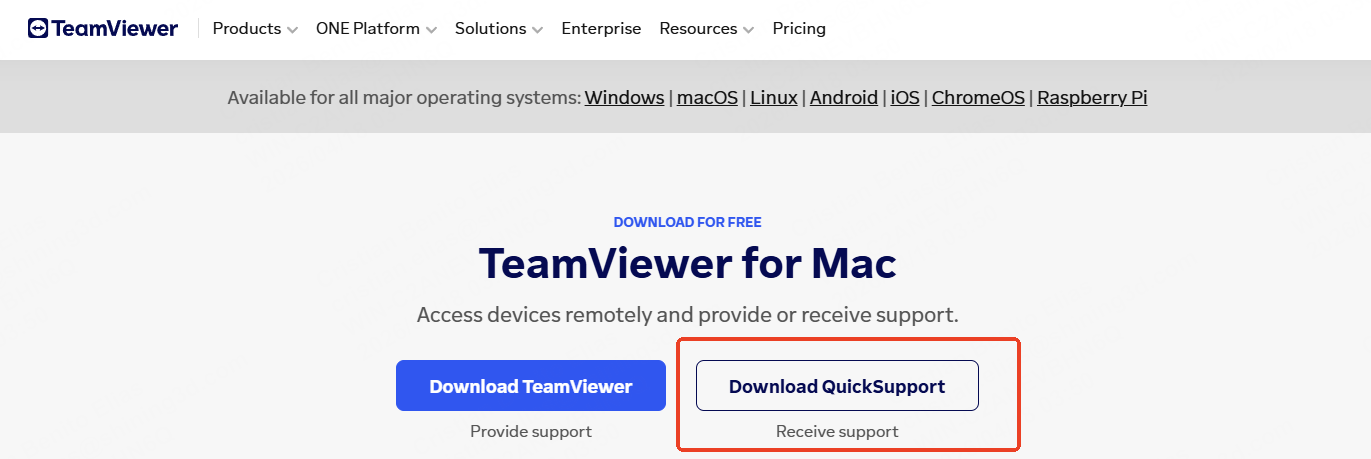
If you do not have TeamViewer already installed on you MAC yet, please search on your browser to download and install QuickSupport.
Please send both the ID and PASSWORD to support for them to be able to login and assist.