Situation: The software can import models normally, but support generation, slicing, and other data processing functions fail, and all operations return errors.
Cause: This may occur if the software fails to correctly parse local file paths during runtime.
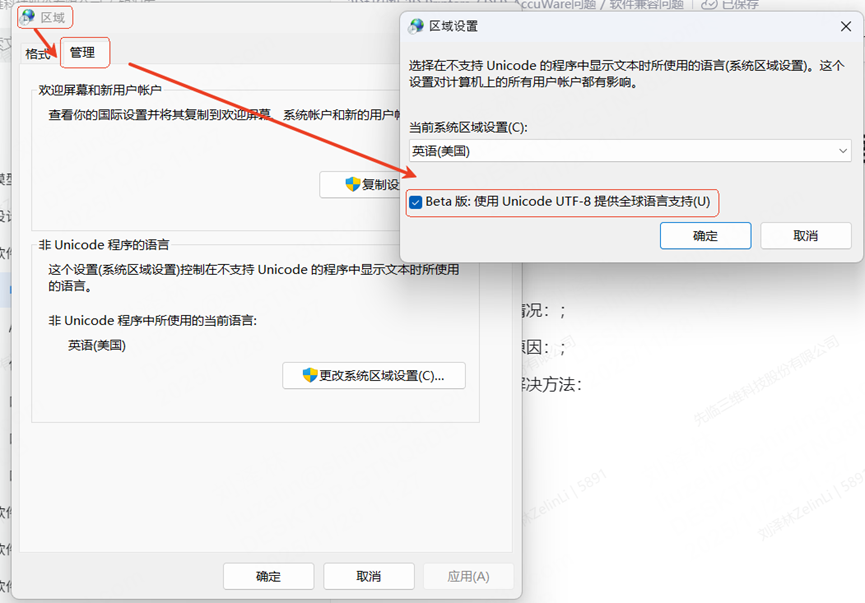
Solution: Go to Software Area → Management, change the encoding to Unicode, and enable the Beta version option. This setting maximizes compatibility with all languages worldwide. (A system restart is required after making these changes.)