Scenario:
Accessing the software suite fails, and a pop-up indicates that the currently installed suite version is higher than the version bundled with AccuWare, requiring an AccuWare update.
Cause: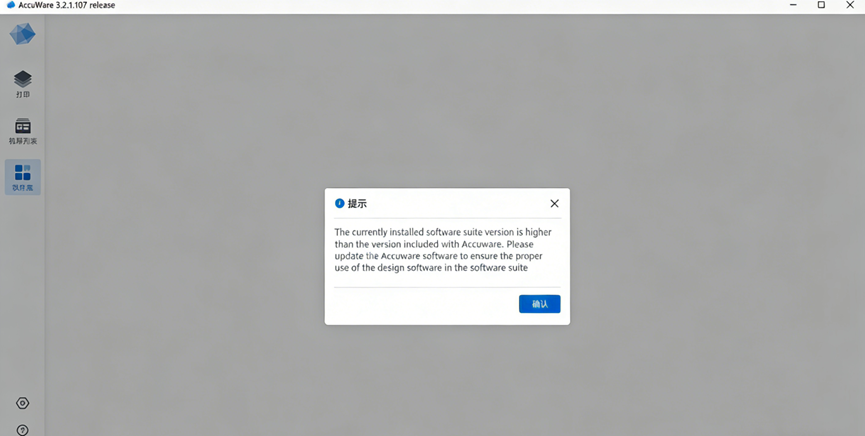
This is not a bug but a software protection mechanism. This typically occurs when a user has used design software from a newer version of the suite, and then voluntarily or through a request, rolled back AccuWare to an older version. Running newer design software with an older version of AccuWare may cause unpredictable issues, so this restriction is enforced.
Note:
- Confirm the user scenario first:
- If the user rolled back due to incompatibility after an update, collect the reason information;
- If technical support provided an older version without approval, confirm the reason before deciding whether to reset.
Solution:
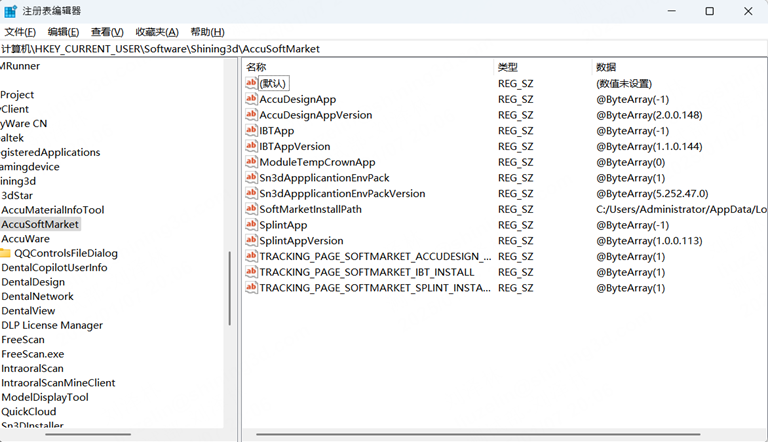
- Open the registry path:
Computer\HKEY_CURRENT_USER\Software\Shining3d\AccuSoftMarket - Delete all contents under AccuSoftMarket.
- If it is known which software version is too high, you may delete only the corresponding xxxApp and xxxAppVersion entries.