
How to Change Shining 3D Cloud Password on the Dental Cloud Platform?
Follow these steps to change your password
Steps:
Click the
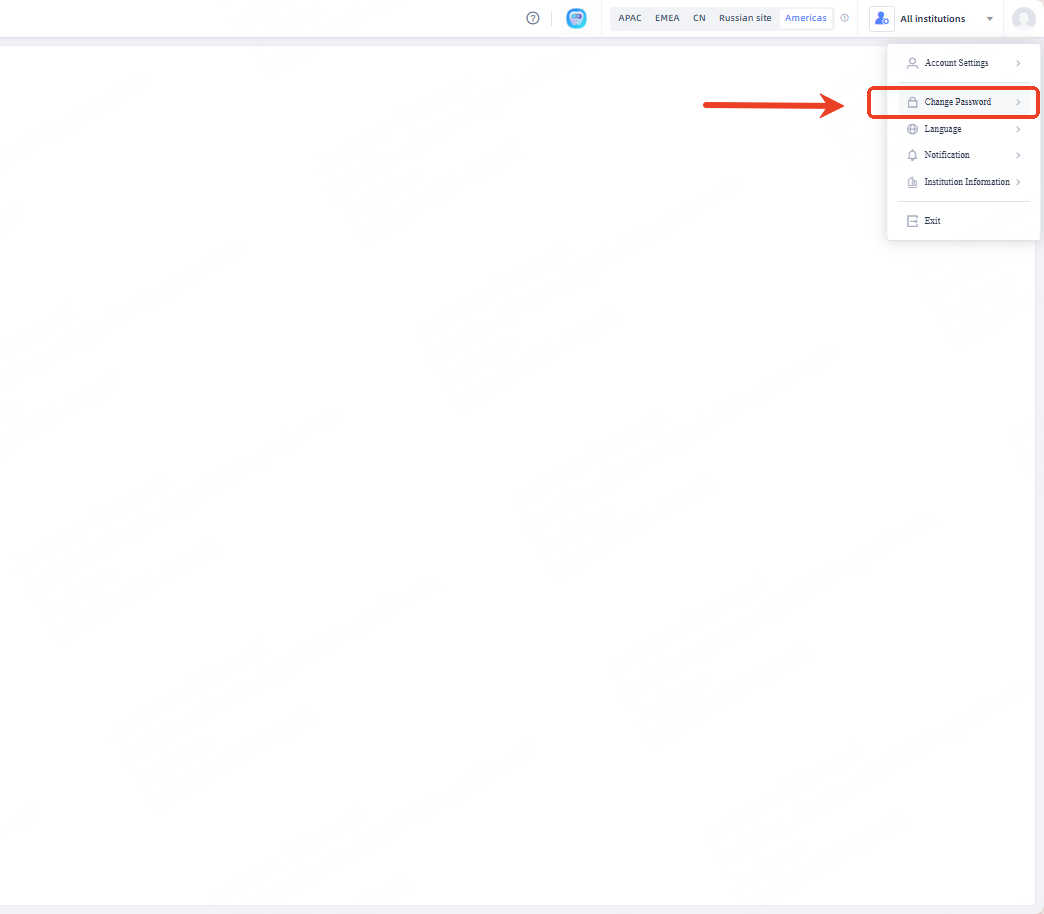
 on the top navigation bar. Then click
 Change password in the drop-down list. This will navigate you to the Account information.
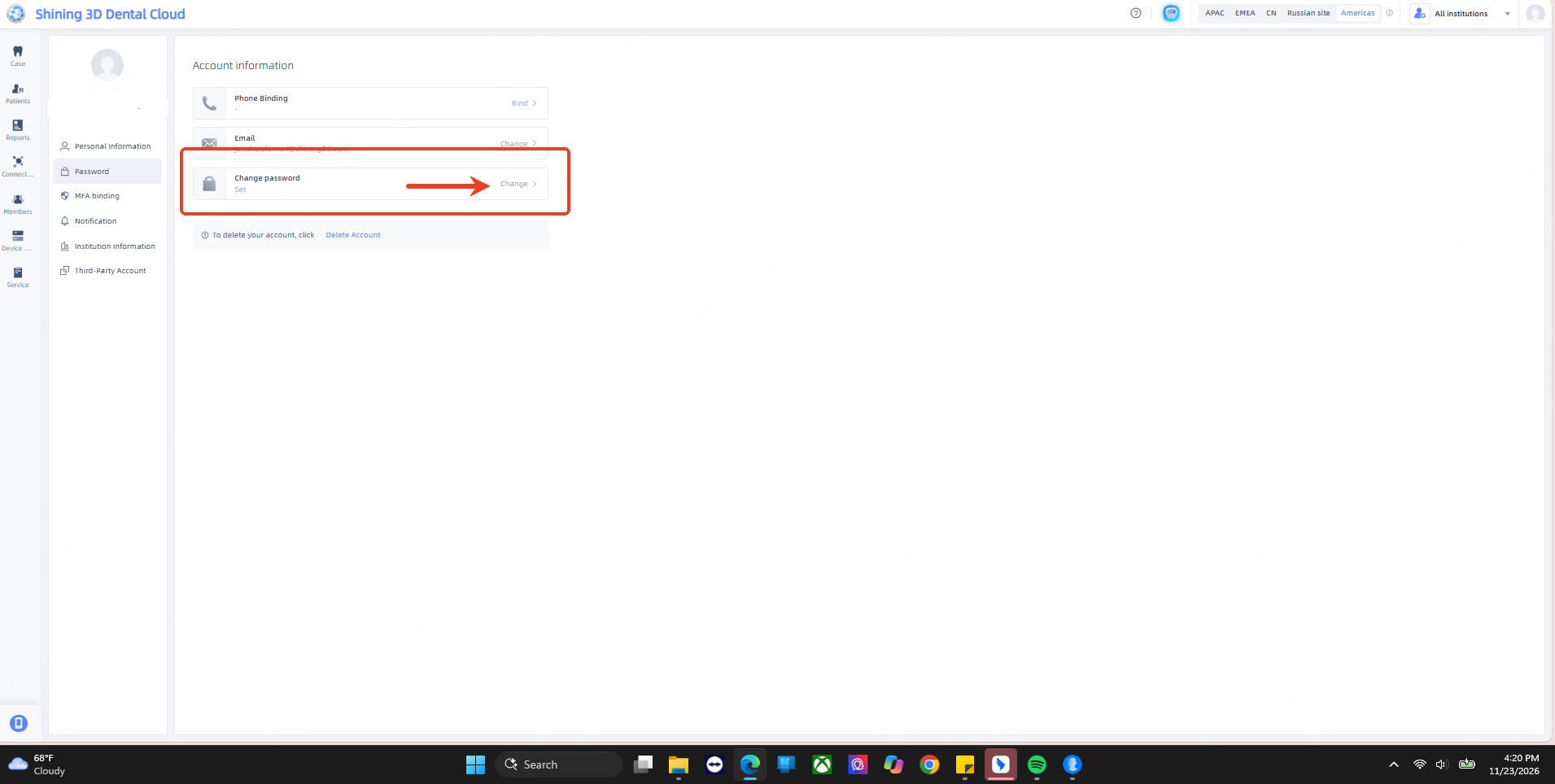
Click Change in the Change password box. Enter the old password and new password in the prompted dialog.
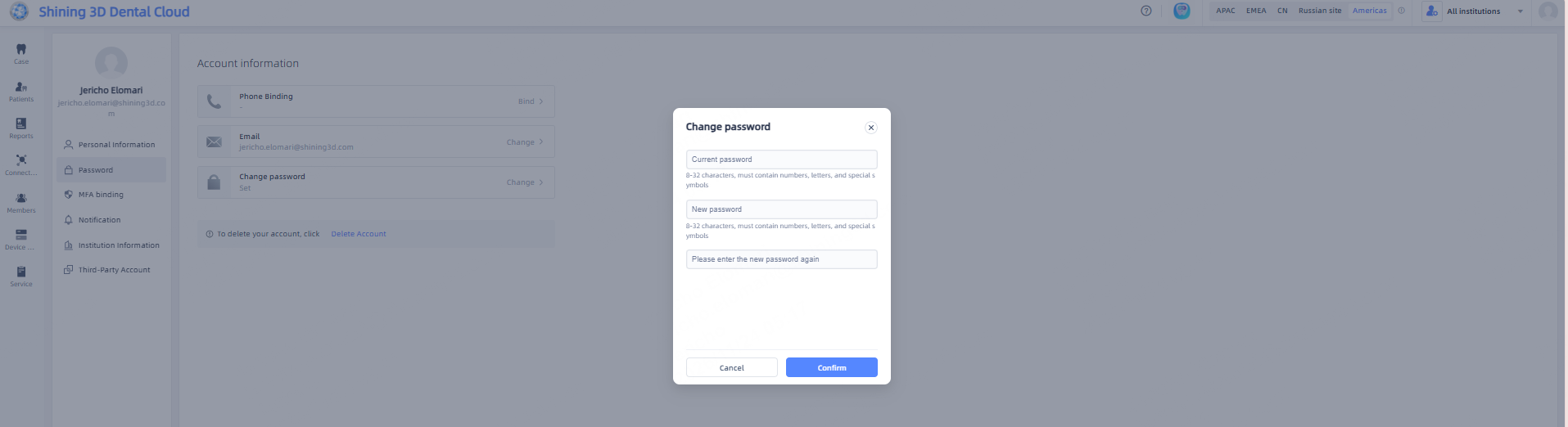
Click Confirm to apply.