
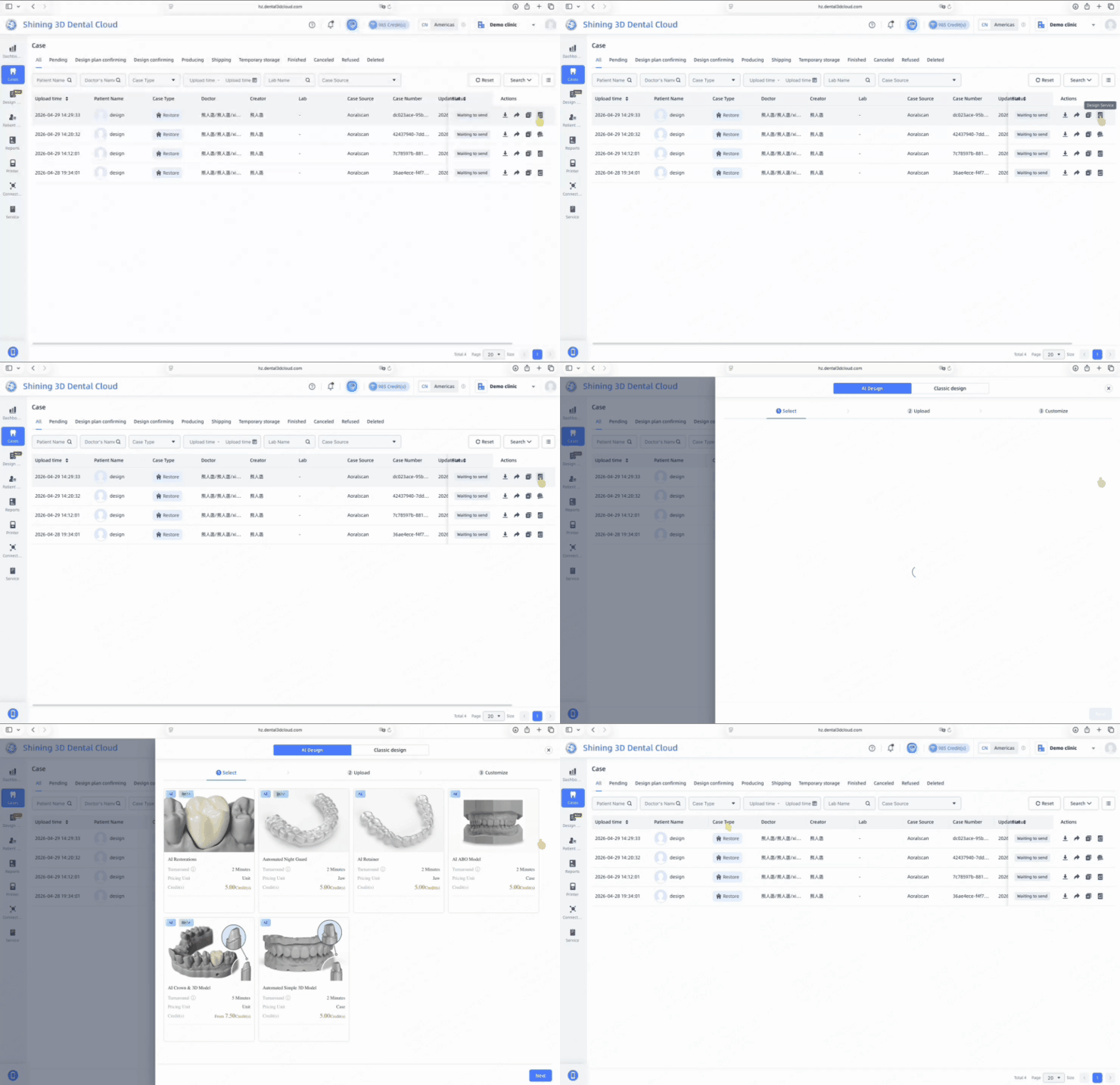
AI Design
In the Cases page, click the Design Service button for the target case to enter the Design Service homepage.
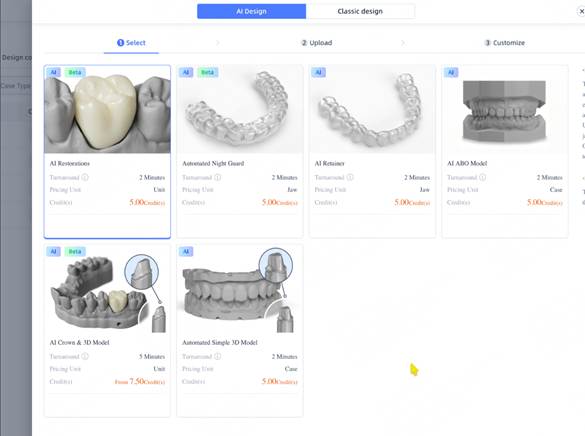
Under the AI Design tab, select AI Restoration, then click Next to continue.
Note: AI Restoration currently supports the design of posterior single crowns for teeth #4–#7 (FDI: premolars and molars). Bridge restorations, veneers, and other restoration types are not supported at this time.
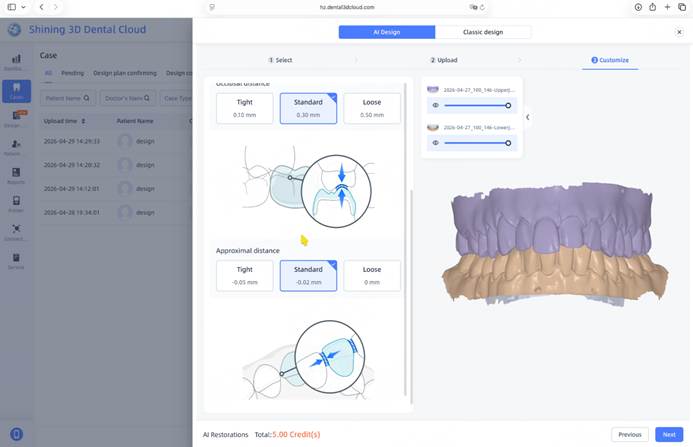
• The intraoral scan data for the selected case will be uploaded automatically.
• Set the Occlusal Distance and Approximal Distance according to your clinical requirements.
• After confirming the settings, click Next to start the AI design process.
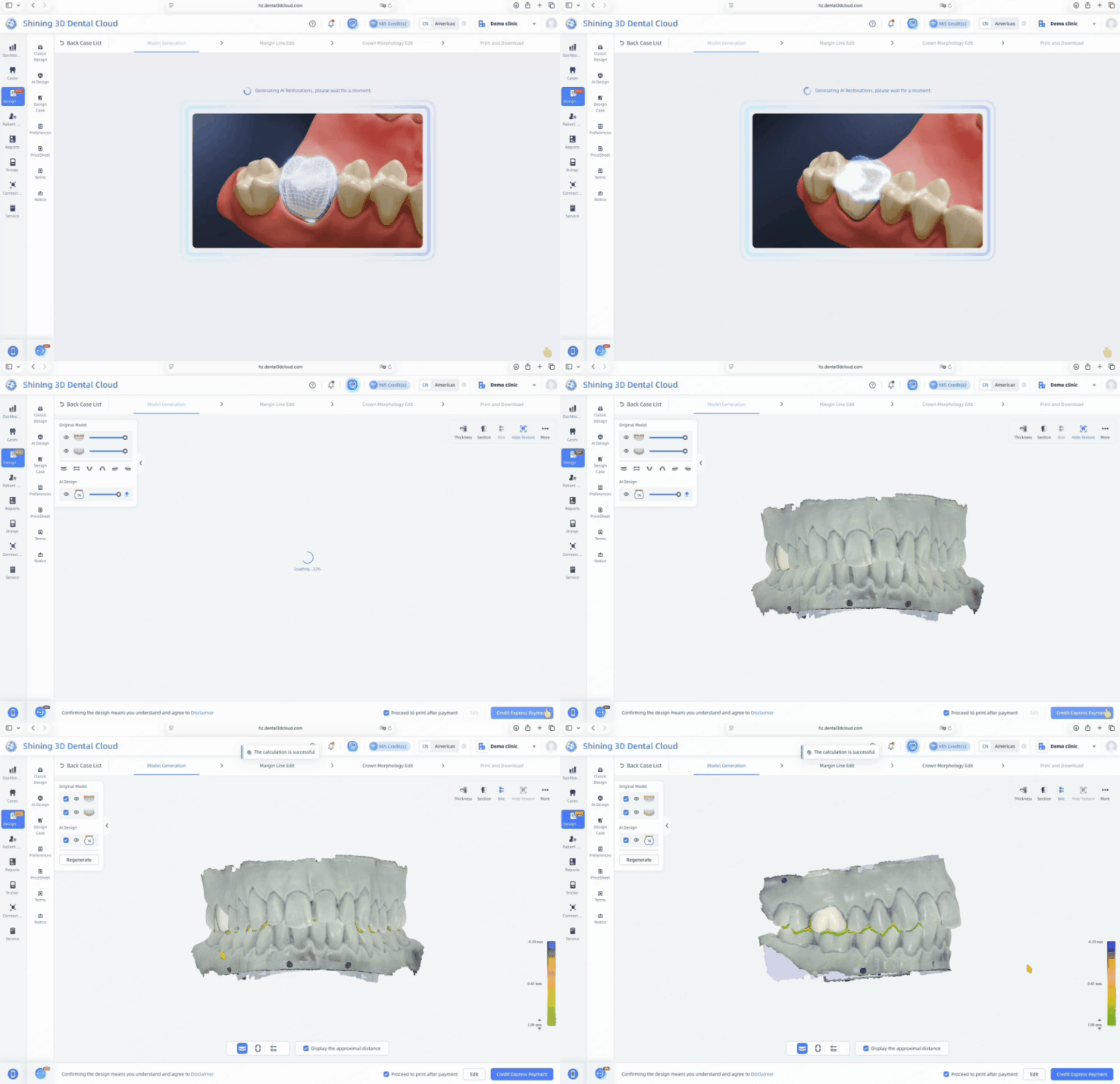
The AI design process takes approximately 2 minutes to generate the restoration design. Please wait until the process is complete.