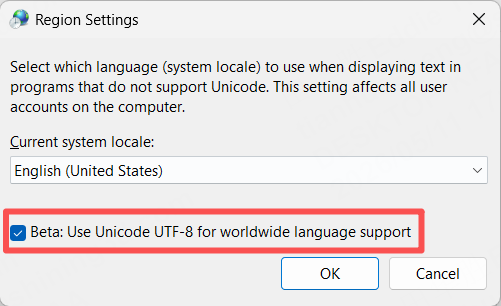
Failed to generate support due to PC region and language settings, which happens mostly in Arabic regions because of reverse language and number orders.
1. Go to PC "Control Panel", select "Clock and Region";
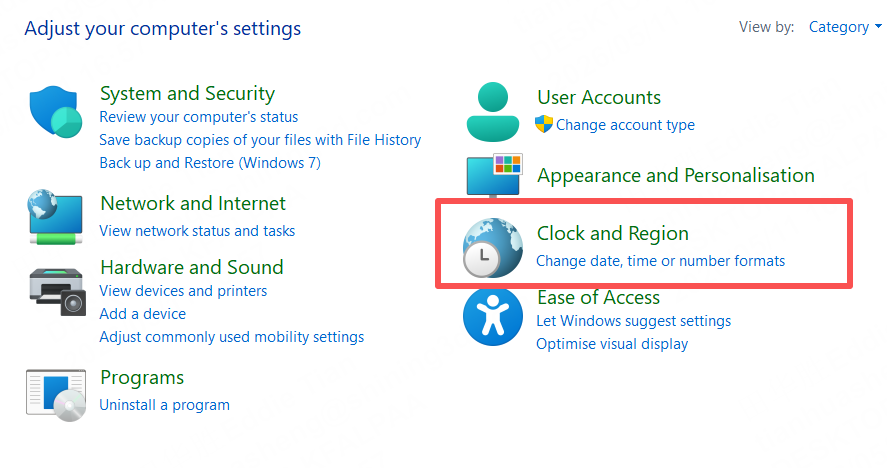
2. Select "Region" setting;
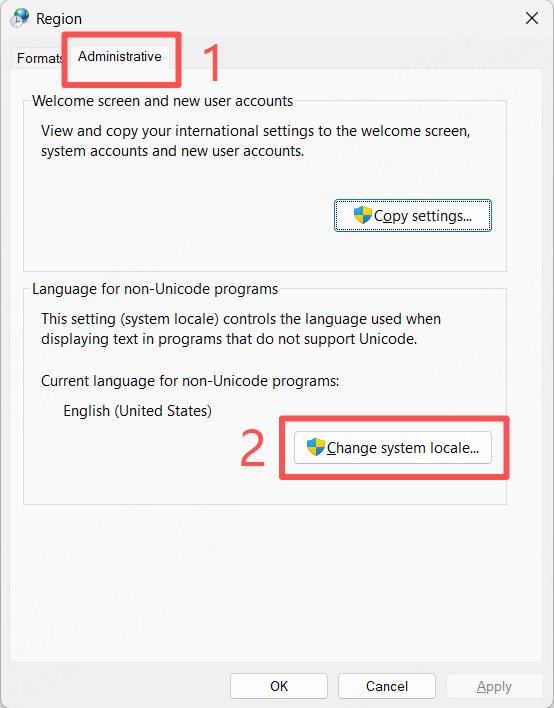
3. In pop-up window, choose "Administrative" and "Change System Locale";
4. Confirm the "Beta" has been turned on, and confirm to "OK", restart PC.