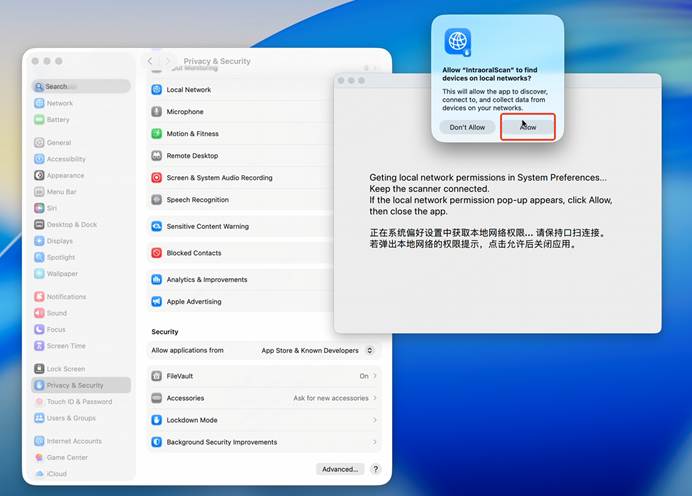
This issue is related to the MAC OS 15 system, many software applications have experienced similar problems, and it has become a topic of active discussion in the Apple forums.
Note: If you are using an older version of Mac software, it is recommended that you do not upgrade your Mac to macOS 26.The relevant operating procedures are outlined in V3604 and V3606.
When the device type is set to Elite on the device settings screen, a corresponding prompt will appear. Clicking the prompt will display the operating instructions.
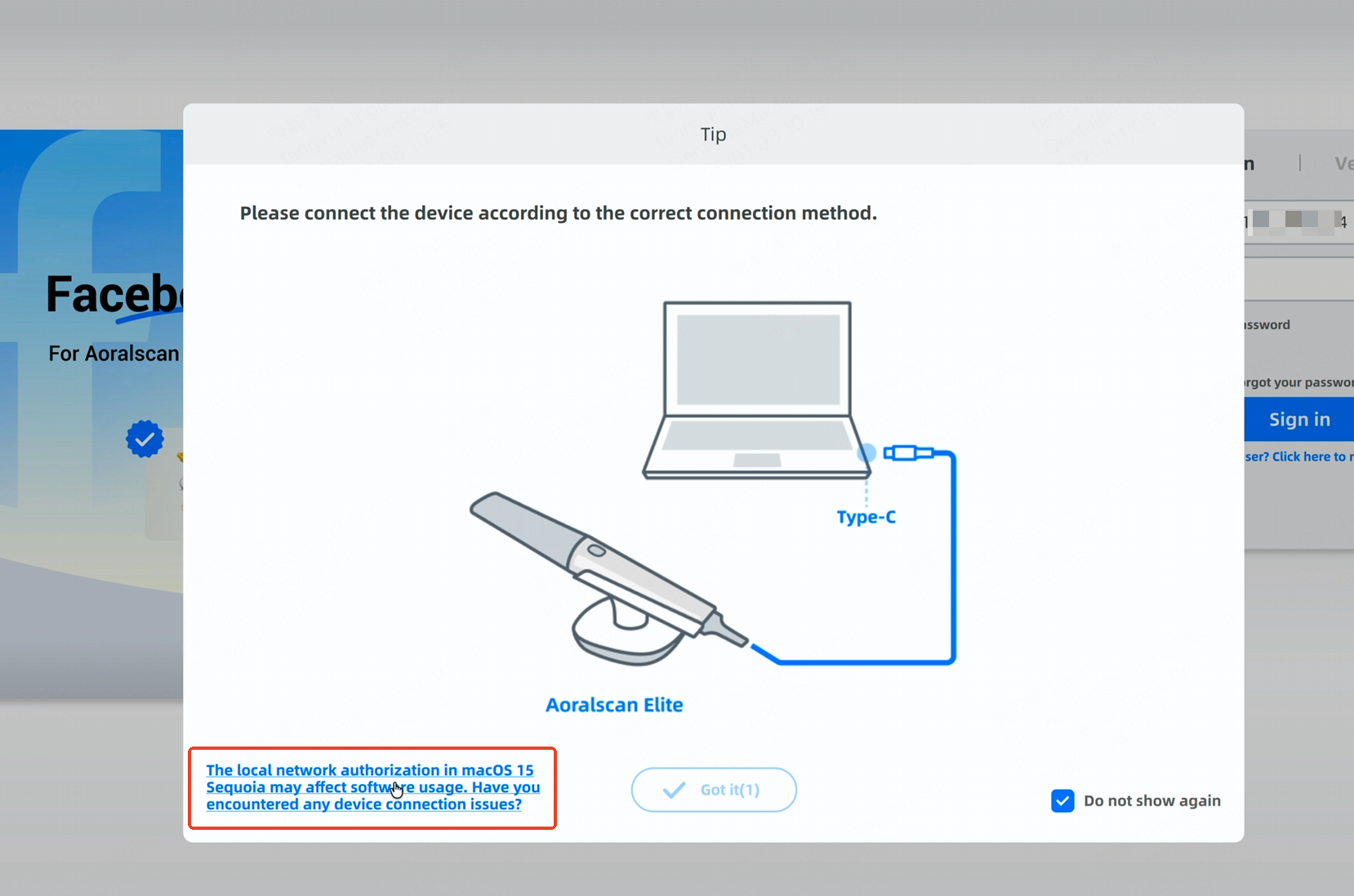
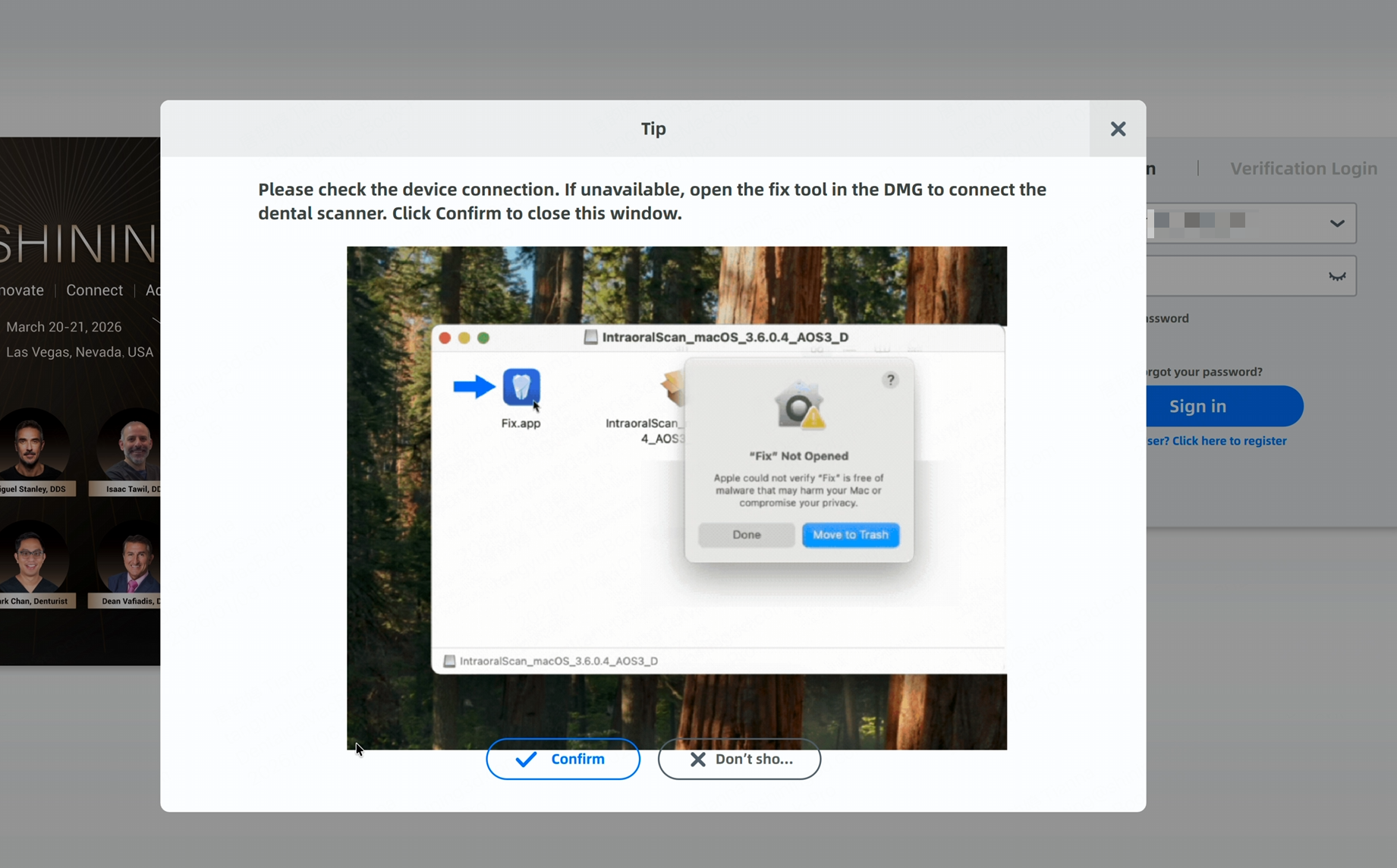
The specific operating procedures are as follows:
1. First, when you click “Fix” in the installation package, the system will display a message indicating that the app cannot be opened.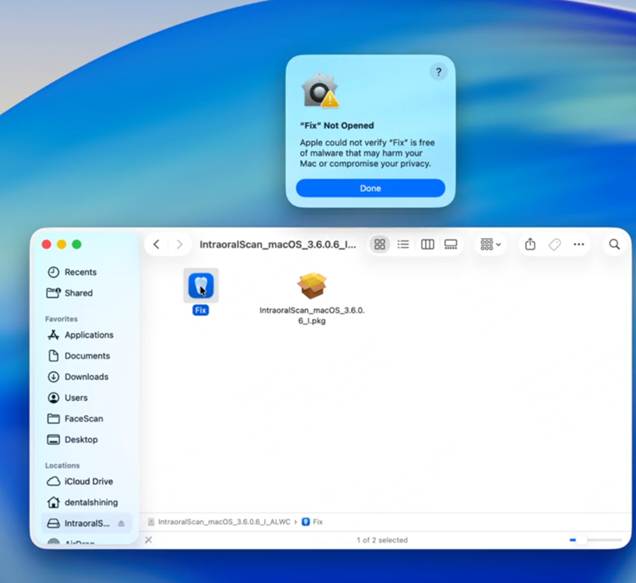
2. Click Done, then return to the desktop and open System Settings.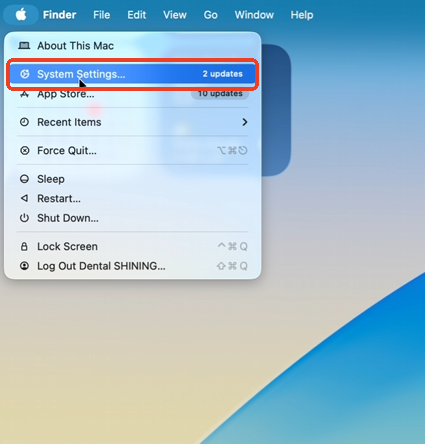
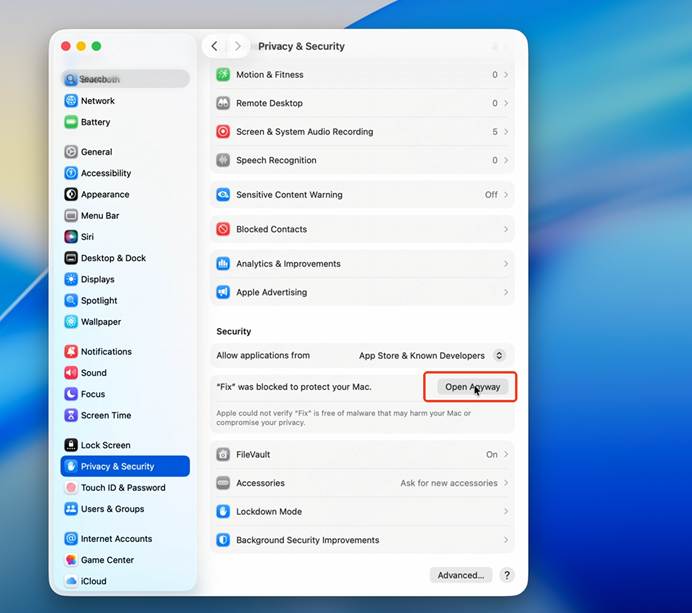
3. In System Settings, go to Privacy & Security, scroll down, find the message “Fix was blocked to protect your Mac”, and click Open Anyway.
4. In the confirmation dialog that appears, click Open Anyway again and then enter your system password.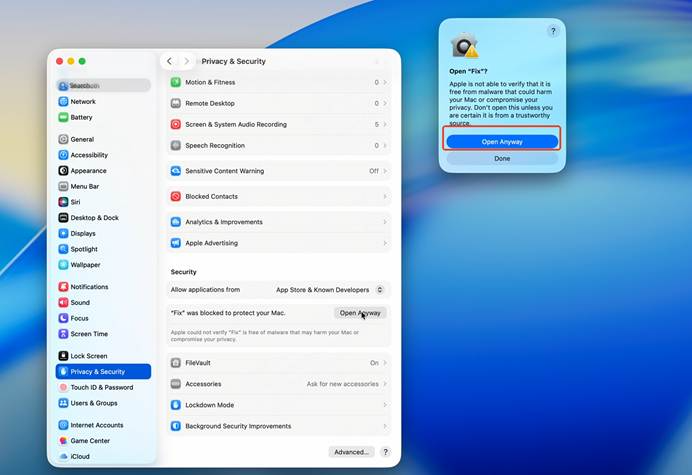
5. Click Allow. After waiting a few seconds, the app will be ready to use normally.